


Part ofClaude vs Everything: The Complete Claude Comparison
Claude Cowork vs Claude Code compared: the same agentic engine, split between desktop knowledge work and terminal software development — plus when to run both.
In This Article
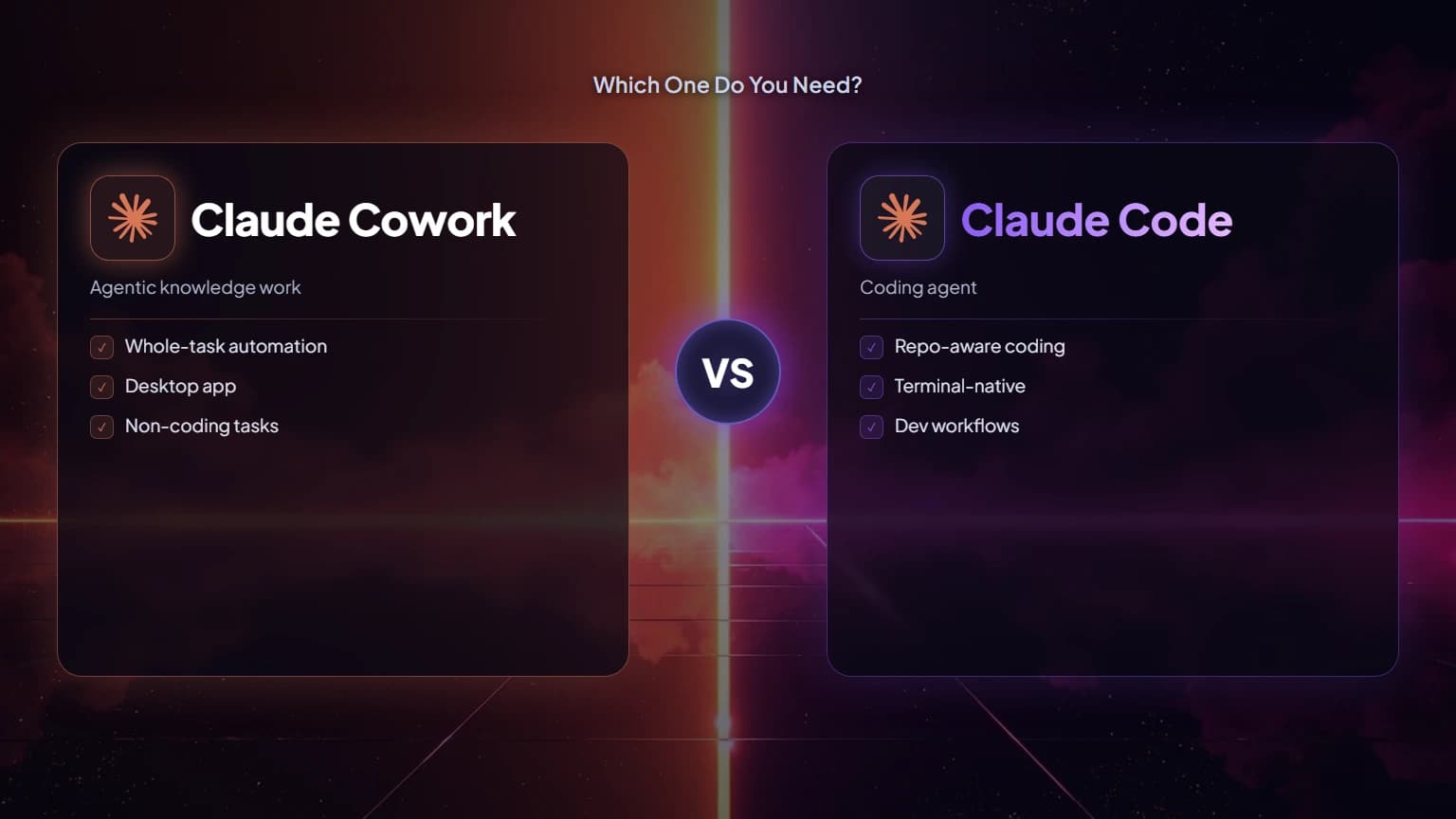
8 sectionsClaude Cowork vs Claude Code comes down to your work, not your skill level. Both run the same agentic Claude engine, but Cowork acts on documents, spreadsheets, and files inside Claude Desktop for non-technical knowledge workers, while Claude Code acts on codebases, git, and tests in the terminal for developers. Pick by the job in front of you.
We run this site's engineering and its day-to-day operations with both tools, often in the same afternoon. That's the honest framing for Claude Cowork vs Claude Code: not "which is better," but "which door does this task walk through." Anthropic built one agentic capability and shipped it twice — once for the terminal, once for the desktop. Below we cover who each is for, what each touches, how the interfaces and plans differ, a decision table you can act on, and the case for keeping both.
Claude Cowork vs Claude Code: the same engine, two front doors
Start with what they share, because that's most of the machine. Claude Code and Claude Cowork run on the identical agentic architecture and the same underlying Claude models — Claude Opus 4.8 and Claude Sonnet 5. Anthropic built Cowork on top of Claude Code, so both inherit the same loop: read your files, plan a multi-step task, take action, then check their own work. The reasoning is the same brain; what changes is the hands.
Three consequences follow from that shared core, and together they frame the whole Claude Cowork vs Claude Code question:
- Neither is "smarter" than the other. A hard reasoning task gets the same model quality in Cowork as it does in Claude Code.
- The interface is the product. Claude Code exposes the engine through a terminal and IDE; Cowork exposes it through the Claude Desktop app.
- They don't share context. A plan you build in Claude Code doesn't carry into Cowork, and there's no cross-orchestration between them today — teams run the two side by side.
New to either one? We keep standalone primers: What Is Claude Cowork? and the pillar guide What Is Claude Code?.
What Claude Cowork is (and who it's for)
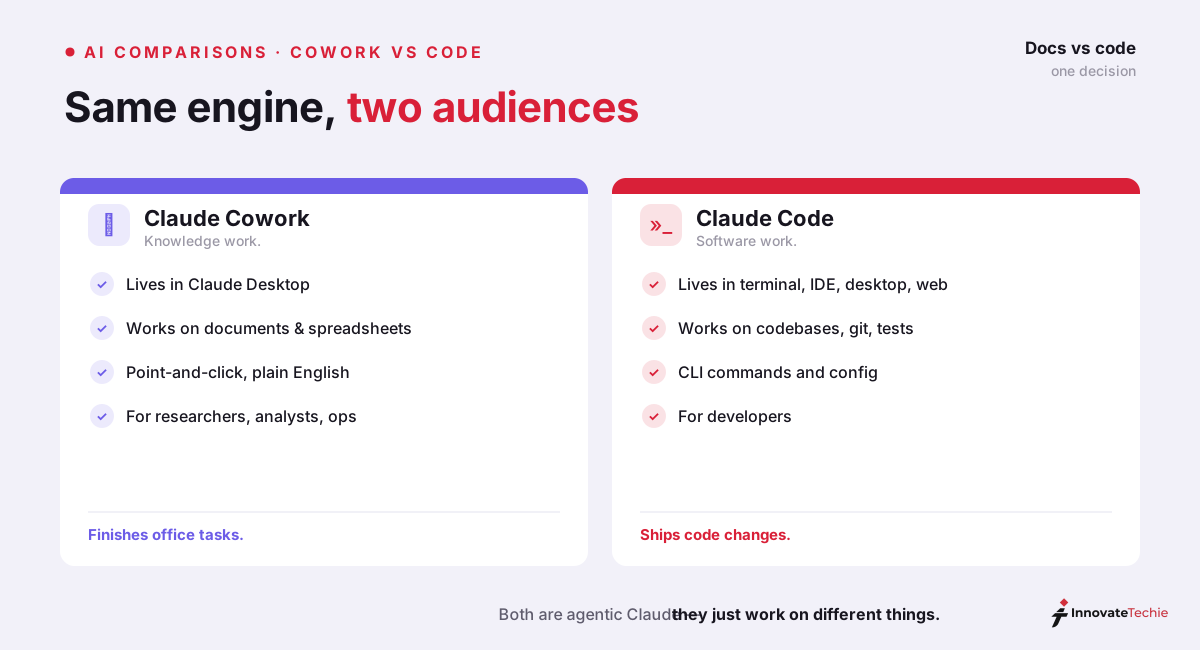
Claude Cowork is Anthropic's agentic system for knowledge work, and it lives inside the Claude Desktop app. You describe an outcome in plain language; Cowork drafts a plan, shows it to you, then executes — moving across your local files, folders, and desktop applications without you steering each step. It can synthesize research from a dozen sources, assemble a slide deck, clean up a spreadsheet, or reorganize a folder of contracts from start to finish.
The audience is deliberate. The people who needed an agent most were never developers: researchers, analysts, operations teams, finance staff, and legal professionals work with documents and data all day and rarely open a terminal. Cowork meets them where that work already happens — no command line, no git, no environment to configure. You connect a folder and describe the task.
One detail matters more than any feature: Cowork runs its shell commands and code inside an isolated virtual machine, and it can only read or write the folders you explicitly connect. That sandbox is central to its pitch, and it's the single biggest factor in the Claude Cowork vs Claude Code security comparison further down.
What Claude Code is (and who it's for)
Claude Code is Anthropic's agentic coding tool, and it lives in your terminal and IDE. It reads an entire codebase, edits files, runs your test suite, stages and commits with git, and executes shell commands — with the same full permissions you already have on your machine. That directness is the point: developers want the agent working the real repository, real branches, and real build, not a sandboxed copy.
The audience is anyone who ships software: engineers, data scientists, DevOps, and technical founders. When your bottleneck is engineering velocity — a refactor, a stubborn failing test, a framework migration — Claude Code is the tool that clears it. It extends through Claude Code skills and a CLAUDE.md file that teach the agent your team's conventions.
The trade-off is trust. Claude Code operates with your user permissions and reaches the open internet, so it carries the risk profile of any tool with a live shell — which is precisely why Cowork's virtual machine exists for the non-developer audience.
Claude Cowork vs Claude Code at a glance
If you read nothing else, read this Claude Cowork vs Claude Code table. It compresses the whole decision into seven rows.
| Dimension | Claude Cowork | Claude Code |
|---|---|---|
| Built for | Non-technical knowledge workers | Developers and technical users |
| Lives in | Claude Desktop app | Terminal and IDE |
| Works on | Documents, spreadsheets, files, desktop apps | Codebases, git, tests, shell |
| Interface | Plain-language task descriptions | Command line and code |
| Runs with | Isolated VM, approved folders only | Your full machine permissions |
| Best when the bottleneck is | Repetitive desktop and document work | Engineering velocity |
| Access | Paid Claude plans (Pro and up) | Paid plan or Claude API |
The pattern is consistent: same engine, different surface, different worker. Diagnose your bottleneck honestly and the choice makes itself.
How the interfaces and workflows differ
The Claude Cowork vs Claude Code split is really a split between two work surfaces. Cowork's surface is your desktop — Finder or File Explorer, a folder of documents, the apps you already use. Claude Code's surface is your repository — the shell, your editor, your version control.
| Workflow | Claude Cowork | Claude Code |
|---|---|---|
| Getting started | Toggle on in Claude Desktop | Install the CLI, authenticate |
| Learning curve | Minimal — no terminal needed | Comfort with a shell helps |
| A typical task | "Summarize these 20 PDFs into a brief" | "Fix the failing auth tests and open a PR" |
| What it returns | Files, docs, decks, tidy folders | Code, commits, branches, test runs |
| Human oversight | Previews a plan before acting | You approve edits and commands |
That difference shapes the whole experience. In Cowork you toggle the feature on in Claude Desktop, connect a folder, and type a request in ordinary sentences; it plans, previews, and pauses before anything consequential. In Claude Code you install the CLI, authenticate, and work in commands and code, approving edits and shell actions as the agent proposes them. Both keep a human in the loop — they just draw that loop in different places. That routing, desktop surface versus repository surface, is the operational heart of Claude Cowork vs Claude Code.
Plans, pricing, and access
On access, Claude Cowork vs Claude Code look almost identical: neither is available on the Free plan, and both require a paid Claude subscription. Cowork ships to paid plans through Claude Desktop; Claude Code needs a paid plan or Claude API credits. The underlying models are the same across both.
| Plan | Price | Claude Cowork | Claude Code |
|---|---|---|---|
| Free | $0 | No | No |
| Pro | $20/mo | Yes | Yes (usage-limited) |
| Max 5x | $100/mo | Yes | More usage |
| Max 20x | $200/mo | Yes | Most usage |
| Claude API | Pay-as-you-go | No | Yes |
A caveat worth planning for: agentic tasks burn far more of your usage allowance than a normal chat message, so a heavy Cowork or Claude Code day on Pro hits limits faster than on Max. If you're weighing tiers, our guides to how much Claude costs and whether Claude Code is free lay out the details.
The case for using both
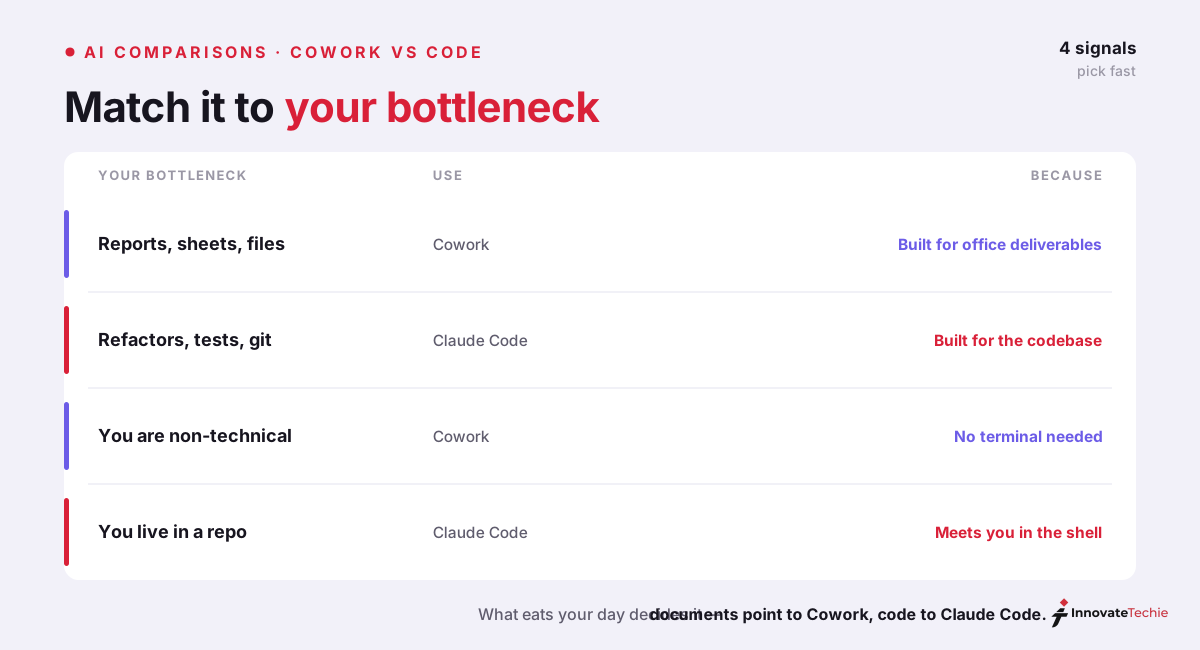
The most complete answer to Claude Cowork vs Claude Code is often "both." They target different people and different bottlenecks, so a team with engineers and non-technical staff genuinely benefits from running each. The classic split: build and ship the product in Claude Code, then run launch operations, reporting, and stakeholder documents in Cowork.
Just remember they don't hand off to each other. Because there's no shared context, "both" means two parallel workflows, not one pipeline — you'll move artifacts between them by hand. For where these two sit in Anthropic's wider lineup, our Claude comparisons hub maps the rest — including how Claude Code measures up against Cursor and OpenAI's Codex.
So the real Claude Cowork vs Claude Code decision isn't a duel. It's a routing question: is the task in front of you software, or is it knowledge work? Answer that, and you've already picked the right door.
For example, an analyst reconciling 30 spreadsheets reaches for Cowork; a developer migrating an API across 40 files reaches for Claude Code — same engine, opposite tools.
Claude pricing at a glance
| Plan | Price |
|---|---|
| Free | $0 |
| Pro | $20 / month |
| Max | from $100 / month |
| API | Pay per token |
For the full breakdown of every plan, see our how much Claude costs guide.
Frequently Asked Questions

Written by
InnovateTechie
Writing about Claude and the Anthropic toolkit — models, Claude Code, pricing, features, and fixes, in clear, practical, hands-on guides tested by daily use.
View all posts →