




Part ofClaude AI Features: The Complete Overview
Claude tool use (function calling) lets Claude call tools you define via a JSON schema. The tool_use and tool_result loop, a worked example, and how it ties to MCP.
In This Article
8 sectionsClaude tool use — also called function calling — lets Claude call external tools you define through a JSON schema. You describe a tool, Claude returns a structured tool_use request when a prompt matches it, your code runs the function, and you pass the result back as a tool_result for Claude's final answer.
Claude tool use is the foundation of every agent, chatbot, and automation we build on the Claude API. We use it daily on this site, and the mechanics are simpler than the "agent" hype suggests. Below: how the request/response loop works, how to define a tool, how Claude decides when to call one, a worked example, real use cases, and where Model Context Protocol (MCP) fits in.
What is Claude tool use?
Claude tool use is the feature that lets Claude Opus 4.8 (or any current Claude model) call functions instead of only writing text. You hand the model a list of tools — each a name, a description, and an input schema — and Claude decides, per turn, whether a tool would help answer the request. When it decides yes, it emits a structured call your application executes.
"Function calling" and "tool use" are the same thing. Function calling is the OpenAI-era name; tool use is Anthropic's term, and Anthropic's tool use documentation uses it throughout. If you have written OpenAI function-calling code, the concept transfers directly — only the field names change.
Tools split into two categories by where the code runs. Client tools run in your application: user-defined tools you write, plus Anthropic-schema tools like bash and text_editor. Server tools run on Anthropic's infrastructure — web_search, web_fetch, code_execution, and tool_search — and you get the results back without executing anything yourself.
| Client tools | Server tools | |
|---|---|---|
| Runs where | Your application | Anthropic's servers |
| You execute? | Yes — you return a tool_result | No — result is in the response |
| Examples | Your own functions, bash, text_editor | web_search, web_fetch, code_execution |
| Best for | Your databases, internal APIs, actions | Live web data, sandboxed code, retrieval |
New to the API entirely? Start with our Claude API getting-started guide, then come back — the rest of this assumes you can already send a basic message.
How the Claude tool use loop works
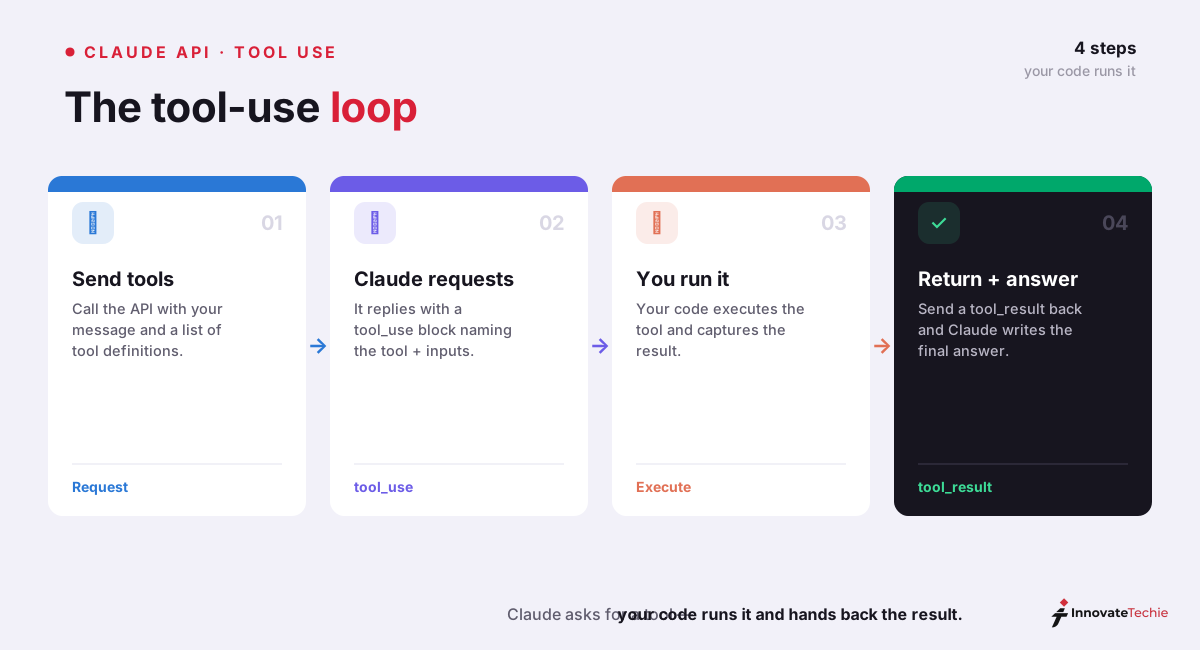
For a client tool, Claude never runs your code. It only asks you to, and the request/response loop has four steps:
- Send the request with a
toolsarray and the user's message. Each tool carries its schema. - Claude responds with
stop_reason: "tool_use"and one or moretool_usecontent blocks. Each block has anid, the toolname, and aninputobject matching your schema. - Your code executes the tool — query the database, hit the API, run the function — and builds a
tool_resultblock referencing the originaltool_use_id. - Send the result back. Claude reads it and either answers (
stop_reason: "end_turn") or calls another tool, repeating the loop.
Server tools collapse this: you declare the tool, and Anthropic runs the sampling loop and returns cited results in the same response, so there is no tool_result for you to build. Everything routes through one endpoint — POST /v1/messages — so tools are a feature of the Messages API, not a separate product.
Defining a tool with a JSON schema
A tool definition is three fields: name, description, and input_schema (standard JSON Schema). The description is the most important part — Claude reads it to decide when to call the tool, so write it like a routing rule, not a code comment. Here is a Claude tools example for an order-lookup function:
{
  "name": "get_order_status",
  "description": "Look up the current status of a customer order by its ID. Use this whenever the user asks where an order is, whether it shipped, or for a delivery estimate.",
  "input_schema": {
    "type": "object",
    "properties": {
      "order_id": {
        "type": "string",
        "description": "The order ID, e.g. 'ORD-10432'"
      }
    },
    "required": ["order_id"]
  }
}
Pass that tool to the model and send a matching question:
import anthropic

client = anthropic.Anthropic()
response = client.messages.create(
    model="claude-opus-4-8",
    max_tokens=1024,
    tools=[get_order_status],
    messages=[{"role": "user", "content": "Where is order ORD-10432?"}],
)
print(response.stop_reason)  # "tool_use"
Claude returns a tool_use block with input of {"order_id": "ORD-10432"}. You run your real lookup, then reply with a tool_result carrying the shipping status, and Claude writes the final sentence to the customer. Two rules save hours of debugging: parse tool_use.input as real JSON (never string-match it), and if a tool fails, return a tool_result with is_error: true rather than dropping it — Claude will adapt.
How Claude decides to call a tool
By default, Claude uses judgment. With tool_choice set to auto, it calls a tool when the request maps to that tool's described capability and the answer is not already in context; it answers directly for stable knowledge, creative tasks, and plain conversation. You steer that boundary with the tool_choice parameter and with your system prompt.
tool_choice | Behavior |
|---|---|
{"type": "auto"} | Claude decides whether to call a tool (default) |
{"type": "any"} | Claude must call some tool, but picks which |
{"type": "tool", "name": "..."} | Claude must call the one named tool |
{"type": "none"} | Claude cannot call any tool |
If Claude under-calls tools you expected it to use, the fix is usually the prompt, not the code. A light instruction such as "Use the tools to investigate before responding" raises tool use; sharper trigger conditions inside each tool's description help even more. Anthropic's engineering team wrote up the advanced tool use patterns we lean on when a model is too eager or too shy. You can also add strict: true to a tool so its inputs always validate against your schema exactly.
A worked example: from question to answer
Walk one full turn of Claude tool use, end to end. A user asks your support bot, "Did my order ORD-10432 ship, and what's the weather where it's headed?" You have defined two tools: get_order_status and get_weather.
- Claude reads both descriptions and returns two
tool_useblocks in one response — parallel tool use is on by default. - Your code runs both lookups concurrently: the order shipped to Denver; Denver is 41°F and clear.
- You return both
tool_resultblocks in a single user message (splitting them across messages quietly trains Claude to stop calling in parallel). - Claude composes one grounded answer: "ORD-10432 shipped yesterday and is heading to Denver, where it's currently 41°F and clear."
No tool output ever gets summarized away — the model works from your exact data. That is the whole appeal: tool use turns Claude from a text generator into a system that reads live state and acts on it.
Real use cases for Claude API tools
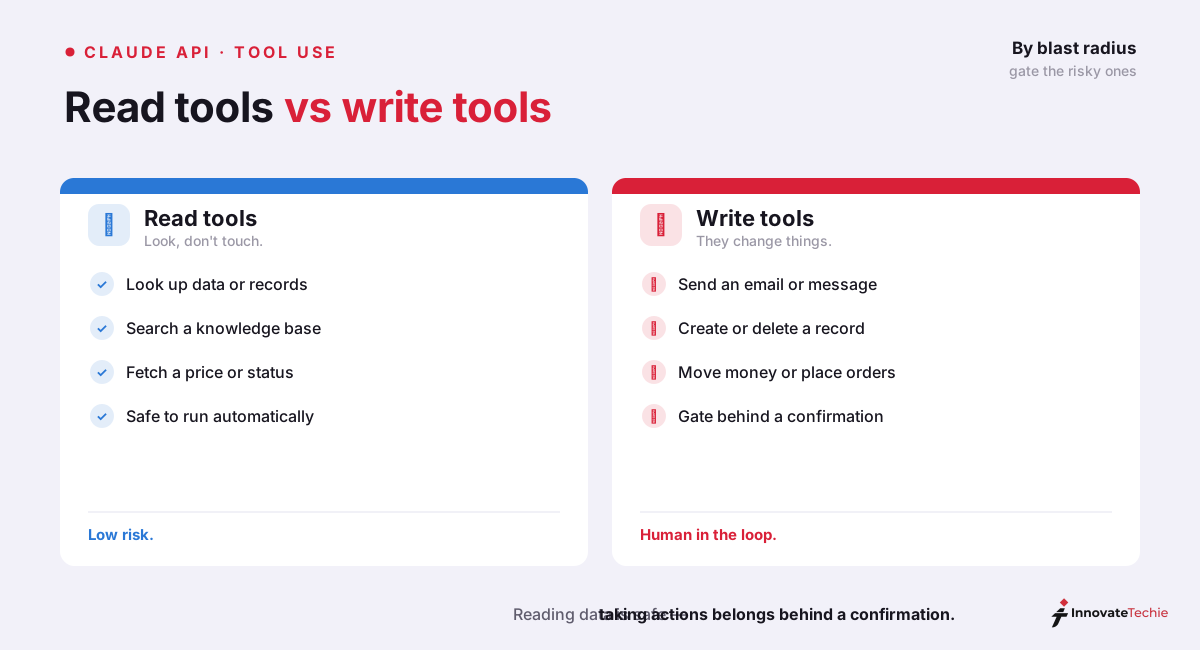
We group Claude tool use into two jobs: looking things up (read) and taking actions (write). Read tools are safe to run automatically; write tools deserve a confirmation gate because they change the world.
| Use case | Category | Example tool |
|---|---|---|
| Order or account lookup | Data lookup | get_order_status, get_account |
| Live web grounding | Data lookup | web_search (server tool) |
| Data analysis in a sandbox | Data lookup | code_execution (server tool) |
| Send an email or message | Take action | send_email |
| Create a ticket or record | Take action | create_ticket |
| Book, cancel, or refund | Take action | book_appointment |
Server tools cover the common read jobs out of the box. The web_search tool grounds answers in live web content beyond the training cutoff — the same capability behind Claude's web search on claude.ai — and code_execution runs Python in a sandbox for analysis. For anything specific to your business — your inventory, your CRM, your internal APIs — you write custom client tools. One hard limit worth stating plainly: Claude does not generate images, so image creation is never a tool you can hand it.
How Claude tool use relates to MCP
Custom tools are perfect until you have fifty of them and want to share them across projects. That is the problem the Model Context Protocol solves. MCP is an open standard for packaging tools (and data sources) behind a server that any MCP-aware client can connect to — so instead of redefining a GitHub or database tool in every codebase, you point at an MCP server once.
Under the hood it is still Claude tool use. When Claude calls an MCP tool, you get the same tool_use/tool_result mechanics; MCP just standardizes the packaging and discovery. The Messages API even ships an MCP connector that lets Claude reach a remote MCP server directly, and Claude Code uses the same protocol — our Claude Code MCP guide covers that side. Think of it this way: raw tool use is how you define one capability; MCP is how you distribute many. Both underpin the broader Claude AI features that turn the model into an agent, from computer use to connectors.
The practical rule we follow: reach for a plain custom tool when a capability lives in one app, and reach for MCP when the same capability needs to be shared across teams or tools. Start with Claude tool use, graduate to MCP when the duplication hurts.
Claude pricing at a glance
| Plan | Price |
|---|---|
| Free | $0 |
| Pro | $20 / month |
| Max | from $100 / month |
| API | Pay per token |
For the full breakdown of every plan, see our how much Claude costs guide.
Frequently Asked Questions

Written by
InnovateTechie
Writing about Claude and the Anthropic toolkit — models, Claude Code, pricing, features, and fixes, in clear, practical, hands-on guides tested by daily use.
View all posts →