




Part ofCan't Reach Claude Error: Every Fix That Actually Works
Claude Desktop Cowork tab missing? Ranked causes and fixes: update the app, verify a paid plan, check Windows prerequisites, or wait the rollout.
In This Article
7 sectionsA Claude Desktop Cowork tab missing from the mode selector almost always has one of five causes: an outdated desktop app, a free-tier account, an unsupported platform, a staged rollout that hasn't reached you yet, or an organization policy that disabled it. Update the app, confirm a paid plan, restart fully — the tab appears next to Chat.
Claude Cowork is the mode that turns Claude Desktop into a hands-on agent for files, folders, and documents; our guide What Is Claude Cowork? covers what it does and who it's for. This page is for the moment the tab simply isn't there. We've stared at the empty mode selector twice ourselves — once a stale install, once a dead Windows service — and we worked every fix below on a real machine, then cross-checked it against the Claude Desktop Cowork tab missing reports stacking up on Anthropic's claude-code issue tracker.
Why is the Claude Desktop Cowork tab missing?
Anthropic gates the Cowork tab behind four silent checks that run at every launch: is the build new enough, is the account on a paid plan, can this machine run the sandboxed virtual machine Cowork works inside, and has the staged rollout reached this account yet. Fail any one and the app simply doesn't draw the tab — no error, no greyed-out icon, nothing to click. That silence is why the same question — cowork tab missing, where did it go — fills Anthropic's issue tracker in a dozen variations.
Here is every cause we've confirmed, ranked by how often it turns out to be the answer:
| Rank | Cause | How to confirm it | Fix |
|---|---|---|---|
| 1 | Outdated app version | Settings → About vs. the current release | Update the desktop app, then quit and relaunch |
| 2 | Free plan — or the wrong login email | Plan badge in app settings | Upgrade, or sign back in with the subscribed email |
| 3 | Platform not supported | Windows Home edition, ARM processor, old macOS | Enable virtualization on x64 Windows Pro; update macOS |
| 4 | Staged rollout hasn't reached you | Everything above checks out | Wait — typically days, not weeks |
| 5 | Organization policy | Team or Enterprise workspace | Ask your admin to enable Cowork org-wide |
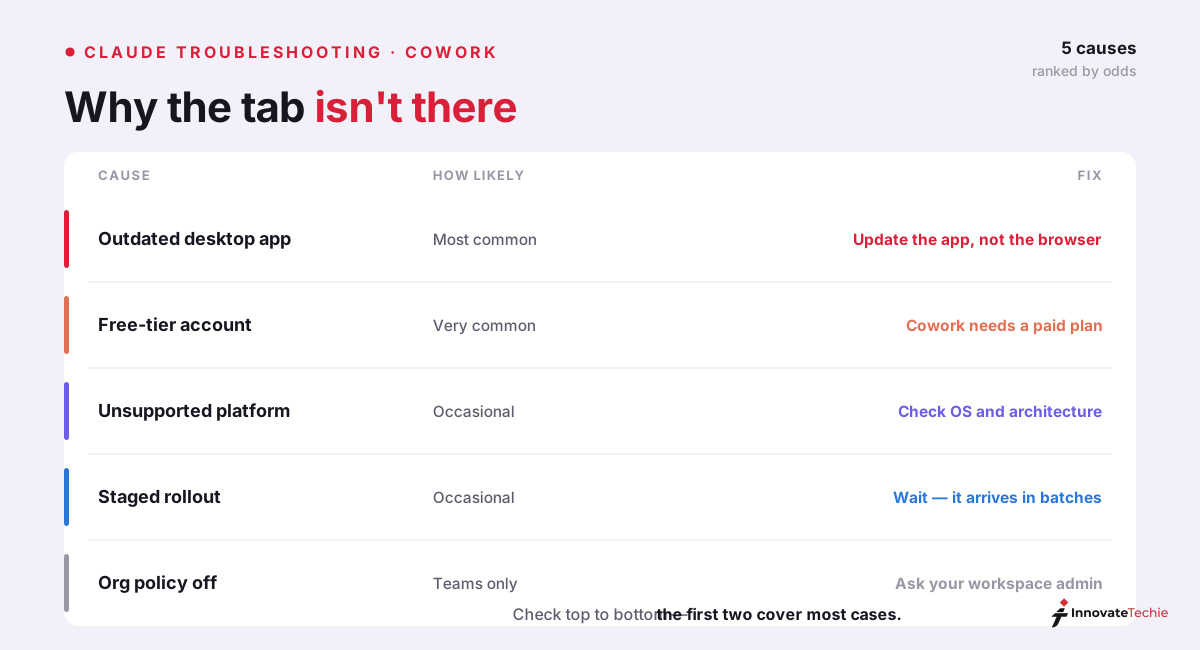
Work the table top to bottom. In our experience the first two rows close most cases before you ever open Windows settings.
Fix 1: update the Claude Desktop app, not the browser
Start here — it's the most common cause and takes two minutes to rule out. Two facts do the work. First, Cowork exists only in the desktop app: claude.ai in a browser will never show the tab, on any plan, because Cowork needs supervised access to your machine. If you've been looking in Chrome, that's the whole answer. Second, Anthropic's requirement is the latest version, not a recent one — the official guidance for Windows says exactly that, and the current build lives at claude.com/download. Don't trust the auto-updater to be prompt; we've watched it lag a feature release by days.
After updating, quit properly — tray icon → Quit on Windows, Cmd+Q on macOS, not the X button — and relaunch. There's no "enable Cowork" switch hidden in Claude Desktop's settings. The tab draws itself once the version, plan, and platform checks pass.
One Windows footnote: current builds install through MSIX, and machines carrying a corrupted install from the older Squirrel-era installer produce the strangest symptoms, including a Cowork VM service you can't remove or restart. If your install history is long, uninstall completely and reinstall clean rather than updating in place.
Fix 2: verify the plan — and the email you signed in with
Cowork ships on paid plans only. Anthropic's getting-started guide for Claude Cowork lists availability as Pro, Max, Team, and Enterprise; free accounts never see the tab, and no setting forces it. The Claude Pro plan at $20/month is the cheapest way in, and Claude Max buys the higher usage limits that long agentic tasks actually consume.
Now the trap that wastes the most time: the wrong account. Desktop apps remember logins for months, and it's easy to sit signed in with a personal Gmail while the subscription lives on a work address. Several "missing tab" reports ended with exactly that discovery. Open settings and read the plan badge next to your email — if it says Free while you pay for Pro, you've found it. Sign out, sign back in with the subscribed email, and the tab renders on the next launch.
Team and Enterprise workspaces add a third variant: admins can switch Cowork off for the whole organization, and from your seat a policy block looks identical to a rollout gap. Ask before you troubleshoot deeper.
Fix 3: clear the Windows blockers
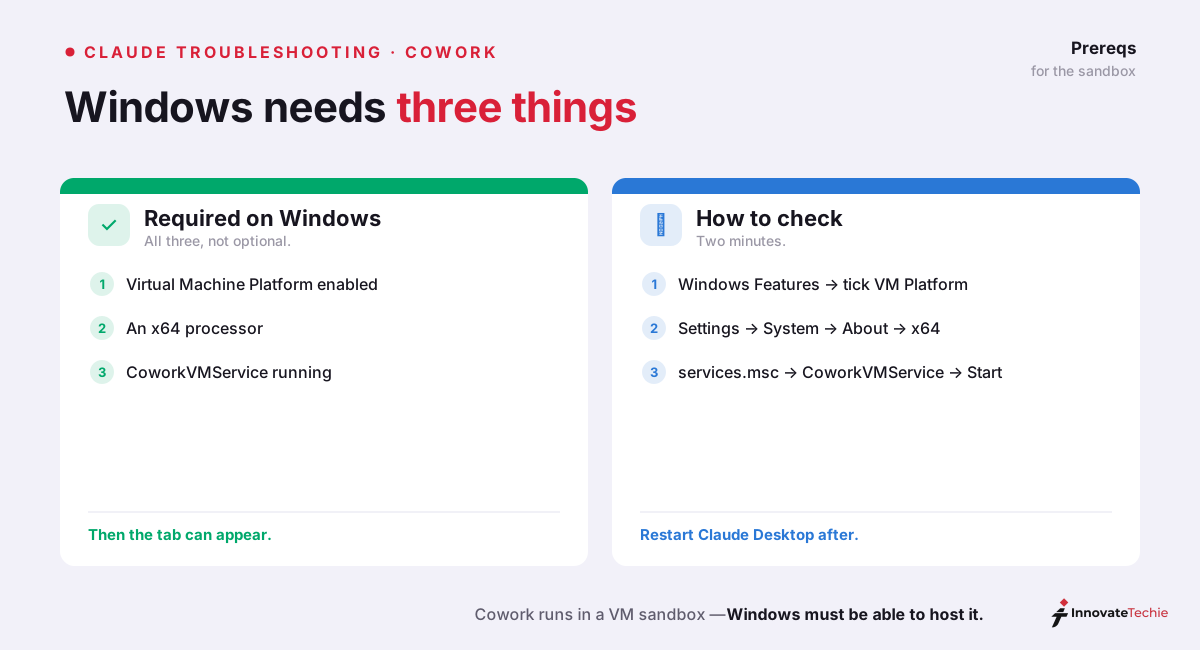
Windows hosts most of the stubborn cases, for an architectural reason: Cowork runs tasks inside a sandboxed virtual machine, and the app tests the machine's virtualization support before it will draw the tab. Claude Cowork not showing up on an updated, eligible account nearly always means one of those tests failed. Five blockers cover everything we've seen:
| Blocker | What you'll see | Fix |
|---|---|---|
| Virtual Machine Platform off | Tab absent on an eligible account | Control Panel → Turn Windows features on or off → tick Virtual Machine Platform → restart the PC |
| Windows Home edition | Tab never appears | Home lacks the full Hyper-V service stack Cowork's VM leans on (GitHub issue #26090) — use a Pro/Enterprise x64 machine |
| ARM processor | Tab never appears | Cowork's Windows VM is x64-only; Snapdragon laptops are out for now |
| CoworkVMService stopped | Tab present, then "VM service not running" | services.msc → restart CoworkVMService → set startup type to Automatic |
| Platform-detection bug | Capable x64 PC flagged "unsupported" | The "yukonSilver" detection bug blocks the VM download (issue #25136) — update the app; a VPN or Docker network squatting on 172.16.0.0/24 triggers the same failure |
The Virtual Machine Platform toggle is the one to try first, and the service is the sneakiest: CoworkVMService ships with a Manual startup type, so it quietly stays dead after a reboot or a long sleep, taking the feature down with it. Setting it to Automatic ends the relapses. And budget for the first successful launch to download a virtual machine image of roughly 2GB before Cowork runs its first task.
Restart properly, then verify it worked
Half-measures hide working fixes. Closing the window leaves Claude Desktop alive in the system tray with the old build and the old feature flags still in memory. Quit fully, relaunch, and run this thirty-second check:
| Check | Where to look | Pass looks like |
|---|---|---|
| Version is current | Settings → About vs. the download page | Numbers match |
| Right account | Plan badge in settings | Subscribed email, plan reads Pro/Max/Team/Enterprise |
| Tab renders | Mode selector at the top | Cowork sits next to Chat |
| VM ready (Windows) | First Cowork run | The ~2GB image downloads, then the task starts |
One macOS-specific note: reinstalling alone often changes nothing — GitHub issue #18770 documents a Mac reinstalled repeatedly with no tab. Check the login email and plan first; if you still reinstall, clear the leftover folders under ~/Library/Application Support/Claude so the fresh copy doesn't inherit stale state.
If the Claude Desktop Cowork tab missing problem survives every check above on a supported machine, stop fixing. Read on.
When it's a staged rollout — and when it's a regression
Two scenarios remain, and they call for opposite responses.
You never had the tab. With a current app, a paid plan, a qualifying platform, and no admin in the way, you're most likely behind a staged rollout — Anthropic ships desktop features in waves, and the Cowork tab not appearing for you while a colleague already has it is normal cohort behavior. Every Claude Cowork missing-tab thread collects a few "it just appeared today" replies for exactly this reason. Give it days, keep the app updated, and skip the fifth reinstall; rollouts don't count your attempts.
You had the tab and lost it. A Claude Desktop Cowork tab missing right after an auto-update is a regression, not a rollout. Users hit this on Windows 11 and on macOS, where one Max-plan report watched version 1.2581.0 remove the tab overnight. Restart the app and, on Windows, the CoworkVMService; check for a newer patch the same day, because regressions get hotfixed fast; reinstall from the download page if neither lands.
One boundary worth drawing: if the tab is present but tasks fail with a connection message once you start working, that's a network fault wearing different clothes — our can't reach Claude error guide triages it in sixty seconds.
The quick checklist:
- Update Claude Desktop itself, not the browser app
- Confirm the account is on a paid plan
- Windows: enable Virtual Machine Platform, start CoworkVMService
- Still nothing? Staged rollout — give it a few days
For example, on one of our Windows machines the tab appeared only after enabling Virtual Machine Platform and restarting — the app update alone did nothing.
Claude pricing at a glance
| Plan | Price |
|---|---|
| Free | $0 |
| Pro | $20 / month |
| Max | from $100 / month |
| API | Pay per token |
For the full breakdown of every plan, see our how much Claude costs guide.
Frequently Asked Questions

Written by
InnovateTechie
Writing about Claude and the Anthropic toolkit — models, Claude Code, pricing, features, and fixes, in clear, practical, hands-on guides tested by daily use.
View all posts →