

Part ofWhat Is Claude Code? The Complete Guide
Claude Code API error 500 means Anthropic's side erred, not your key. Status check, retry, update and fresh-session fixes that actually work.
In This Article
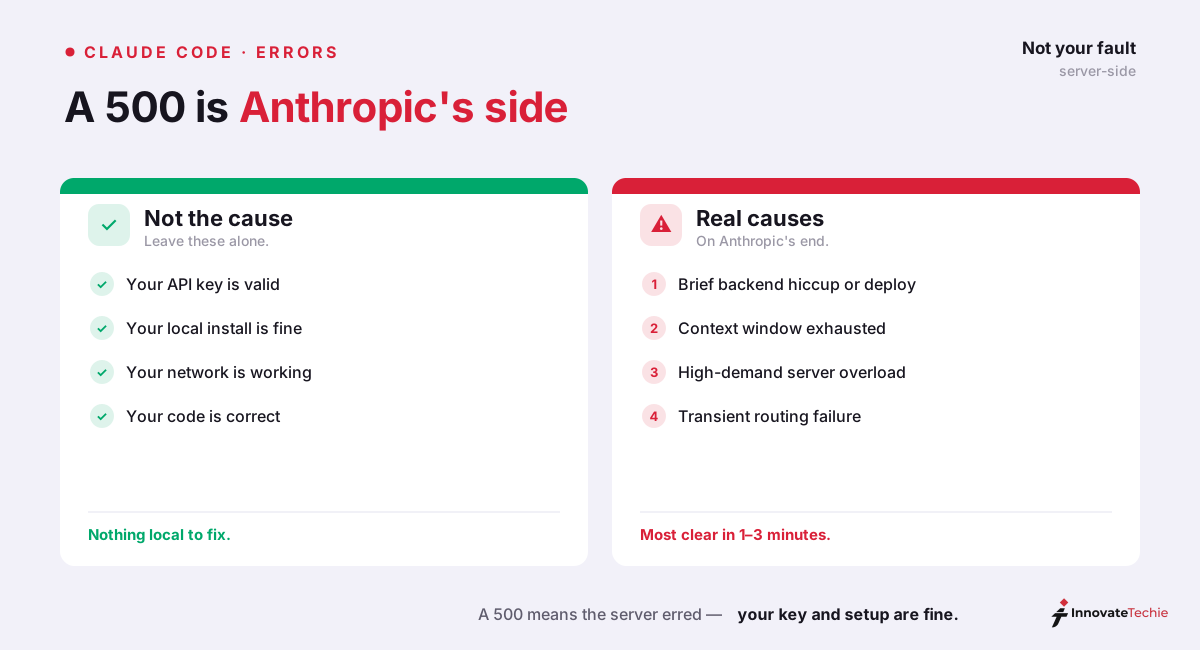
7 sectionsClaude Code API error 500 is an internal server error on Anthropic's side — not your prompt, your API key, or your local setup. Anthropic's API docs classify a 500 as an unexpected error inside their systems. Check status.claude.com first, then retry; most clear within a few minutes. If it persists, update Claude Code and start a fresh session.
We hit this error while building this site with Claude Code, so this is written from the terminal, not the marketing page. Below is the fast fix, a table you can act on in thirty seconds, how a 500 differs from a 529, and the one case — context exhaustion — where retrying alone won't help.
What Claude Code API error 500 actually means
A 500 is an HTTP status code, and Anthropic documents exactly what theirs means. In the official API error reference, a 500 is an api_error: "An unexpected error has occurred internal to Anthropic's systems." That single line settles the most common worry. The 500 is server-side. Your prompt didn't trigger it, your API key is fine, and your local install isn't corrupted.
That matters because it changes what you do next. A 401 means fix your key; a 400 means fix your request. A 500 means the request reached Anthropic and something broke there — a backend hiccup, a deploy blip, or a load spike. There is no prompt you can rephrase to fix it. The fix is either waiting a beat for Anthropic to recover or clearing local state that's provoking the bad request. We've watched the same prompt fail with a 500 and then succeed unchanged sixty seconds later, which is the tell of a transient server fault.
Check status.claude.com before you touch anything
Our strongest advice after two years of this: spend ten seconds on the status page before you spend ten minutes clearing caches. Open status.claude.com, Anthropic's official incident page. If it lists an active incident for the API or Claude Code, the 500 is a global outage and nothing on your machine will fix it — bookmark the page, subscribe to updates, and check back shortly.
If the status page is green, the outage is smaller or already recovering, and the local steps below apply. This is the same first move as any connectivity problem; our guide to the can't reach Claude error walks through the wider triage when the failure looks like a network path rather than a server fault.
The fast fix: retry, restart, update, clear
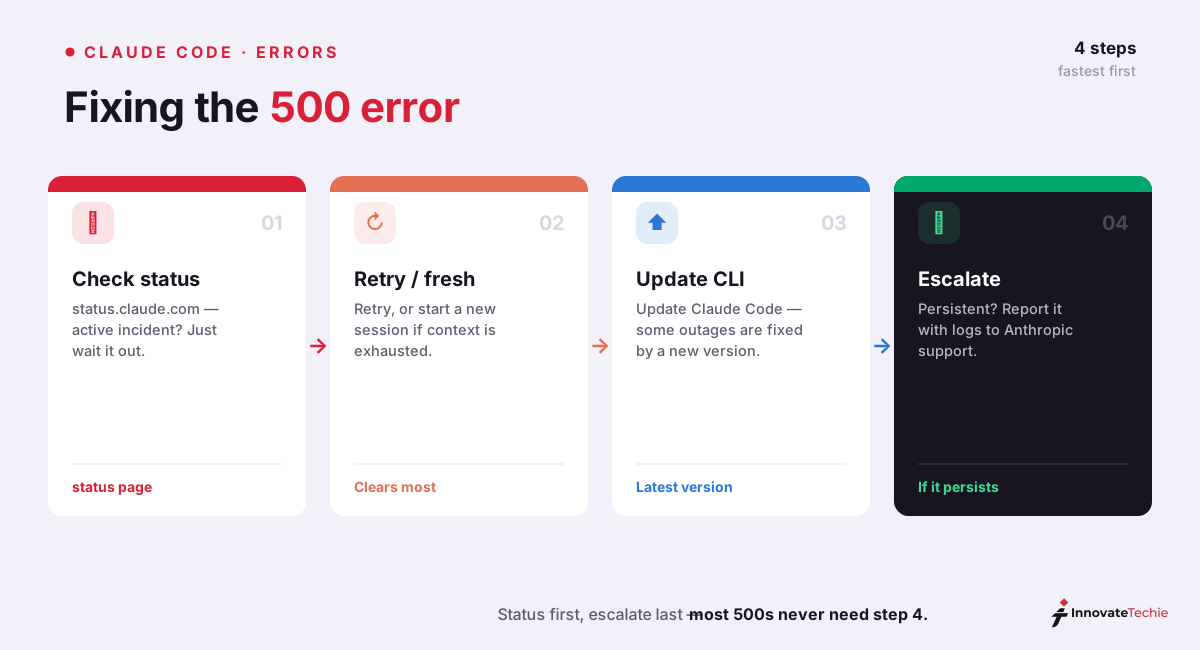
When status is green (or the incident just cleared), work this 500-error fix list top to bottom. Most people are back to work by step two.
| Step | What to do | Why it works |
|---|---|---|
| 1. Retry | Resend the same prompt after 60–90 seconds | Most 500s are transient — they resolve in 1–3 minutes on their own |
| 2. Fresh session | Exit and run claude again; don't --resume the failing one | A corrupted or exhausted session keeps failing; a clean context usually works |
| 3. Update Claude Code | Run claude update (or reinstall the CLI) | Some 500 waves were fixed by a version bump, not by waiting |
| 4. Clear local state | Remove stale cache/config, re-authenticate | Rules out a bad local build feeding malformed requests |
| 5. Check status again | Refresh status.claude.com | A short incident may have appeared while you were retrying |
| 6. Escalate | Capture the request_id and file a GitHub issue | Persistent, every-prompt 500s need Anthropic's eyes |
The two steps that fix the most cases are the cheapest: retry, then start a fresh session. Resuming the exact conversation that threw the error often keeps throwing it, because whatever state provoked the bad request travels with the session. A clean claude invocation drops that baggage. If a Claude Code API error 500 hits on every prompt in a brand-new session and the status page is green, an outdated build is the next suspect — claude update has resolved this for real users, since Anthropic ships fixes for known 500 conditions in point releases like v2.1.29.
500 vs 529 vs 429: know which error you actually have
The number in front of you decides the fix, and three server responses get confused constantly. Anthropic defines each one distinctly, so match your message to the right row before acting.
| Error | Anthropic's type | What it means | Right response |
|---|---|---|---|
| 500 | api_error | Unexpected internal error on Anthropic's side | Retry, check status, start a fresh session |
| 529 | overloaded_error | The API is temporarily overloaded (capacity, not a fault) | Back off and retry; switch to a lighter model |
| 429 | rate_limit_error | Your account hit a rate or usage limit | Wait for the window to reset, or raise the limit |
The practical difference: a 500 is a genuine malfunction, a 529 is healthy servers under too much load, and a 429 is your own quota. A 529 often clears faster if you switch models, because capacity pools differ — dropping from Claude Opus 4.8 to a smaller model like Haiku 4.5 can go through immediately; our guide to Claude's models covers which to reach for. A 500 gets no such benefit from switching models, since the failure isn't about capacity at all.
When context exhaustion causes a Claude Code API error 500
There's one 500 that isn't a server outage, and it fooled us the first time. When a long Claude Code session runs its context window down toward 0% and auto-compact fails to fire in time, the next request can come back as a 500 (tracked in Anthropic's GitHub as issue #23120 and related threads). The server is fine; the request itself was malformed by an over-full or corrupted context.
The giveaway is timing: the 500 lands right as your status line reports the context nearly full, not at random. Retrying the same session just re-sends the same bloated context and fails again. The fix is to reset the context, not to wait:
- Run
/clearto wipe the conversation and start clean, or exit and launch a freshclaudesession. - If you need the prior work, run
/compactmanually before context runs out next time. - For very long tasks, break them into smaller sessions so auto-compact never gets cornered.
This is why "start a fresh session" sits so high in the fix table — a large share of every-prompt 500s are really context exhaustion wearing a server error's clothes.
When to escalate — and what to hand Anthropic
Most 500s clear themselves. Escalate a Claude Code API error 500 only when the pattern says it's stuck: the same error on every prompt, across fresh sessions, with a green status page and an up-to-date CLI. Use this quick read to decide.
| What you see | Whose problem it is | What to do |
|---|---|---|
| status.claude.com shows an incident | Anthropic's outage | Wait it out; don't touch local settings |
| One 500, then it continues fine | A transient blip | Ignore it — retrying already worked |
| 500 on every prompt, status green | Stale build or session state | claude update, then a fresh session |
| 500 right at ~0% context | Context exhaustion | /clear or a new session |
| Every-prompt 500 survives all of the above | Possible regression | Escalate to Anthropic |
To escalate well, capture the request_id from the error (every API response carries one) and note your Claude Code version, the timestamp, and whether the status page was green. File it on the anthropics/claude-code issue tracker on GitHub — that request_id lets Anthropic trace the exact failed request. If you're new to the tool and unsure which failures are worth reporting, our pillar guide, What Is Claude Code?, frames the whole error surface; skills that automate your recovery routine live in our Claude Code skills write-up.
Claude pricing at a glance
| Plan | Price |
|---|---|
| Free | $0 |
| Pro | $20 / month |
| Max | from $100 / month |
| API | Pay per token |
For the full breakdown of every plan, see our how much Claude costs guide.
Frequently Asked Questions

Written by
InnovateTechie
Writing about Claude and the Anthropic toolkit — models, Claude Code, pricing, features, and fixes, in clear, practical, hands-on guides tested by daily use.
View all posts →